
Quitt
Scan receipts.Pay once.
Quitt reads your receipts with on-device AI, keeps everything on your iPhone, and turns a year of receipts into a PDF and CSV for tax time. No bank linking, no account, no subscription.
App Store privacy label: Data Not Collected
Built for your tax return.
Made for freelancers in the US, the UK, Germany, Austria, Switzerland, and Japan getting ready for tax season.
Snap, and Quitt reads it
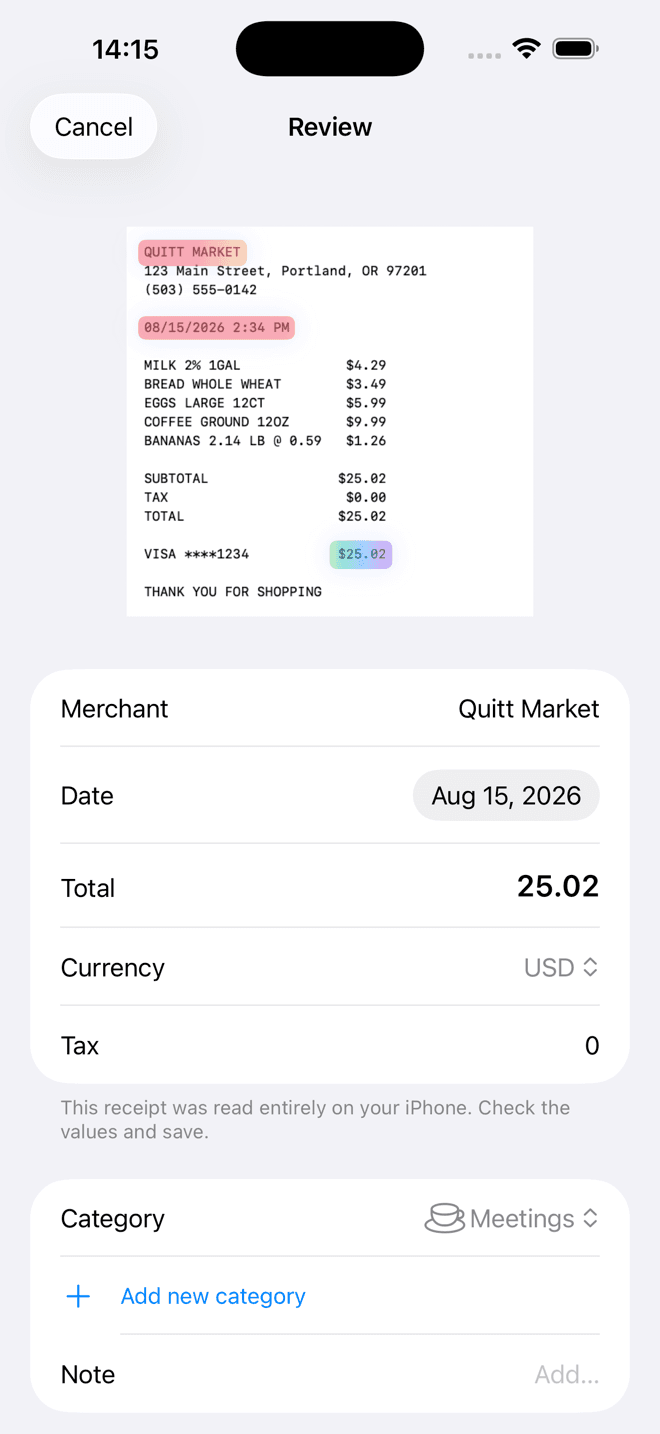
Point the camera and Quitt reads the merchant, date, total, and tax, showing exactly where. Fix any field before you save.
Organized by category
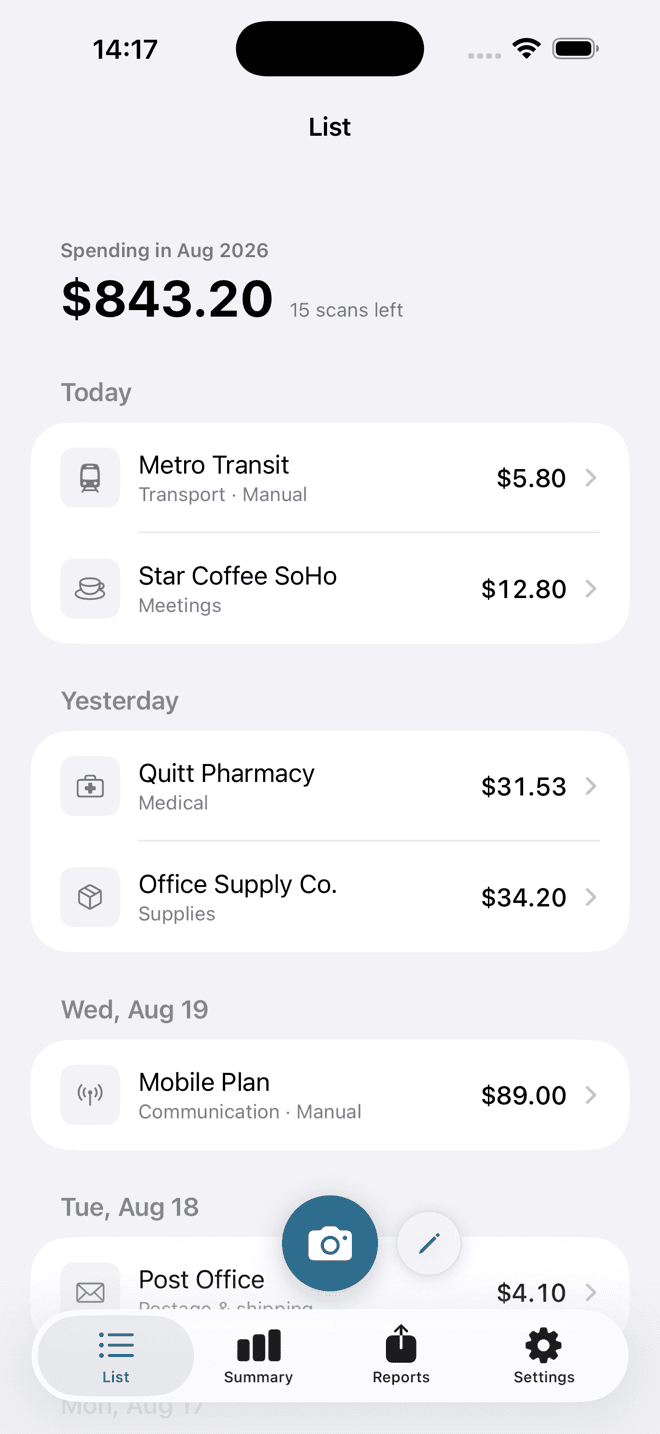
Receipts sort themselves into expense categories you can edit.
PDF and CSV reports
Pick a period or fiscal year and export a PDF with receipt images, or a CSV for your accountant.
Where Quitt works
- Markets
- US · UK · DACH · Japan
- Languages
- English · German · Japanese
- Currencies
- Multi-currency (Pro)
- AI reading
- iPhone 15 Pro or later
Nothing leavesyour iPhone.
Privacy policy- Reading happens on-device with Apple Intelligence
- No bank linking, no account, no cloud
- Quitt makes no network requests
Pay once. That’s it.
See the App Store for pricing.
Free
Unlimited manual entry, 15 AI scans a month, monthly summary
Quitt Pro (one-time purchase)
Unlimited scans, CSV and PDF export, multi-currency
Frequently asked questions
Which devices support AI reading?
You need an iPhone that supports Apple Intelligence (iPhone 15 Pro or later) on iOS 26. On other iPhones, capture, the built-in reader, manual entry, and reports work the same.
Where is my data?
Only on your iPhone. There is no account and no cloud.
Is Quitt tax advice?
No. Quitt records and organizes receipts. Please consult a qualified professional for your tax return.
Need more help?
Quitt support answers common questions in English, German, and Japanese.
Quitt supportReady for tax season.
Free to download. Quitt Pro is a one-time purchase.